
ReiBoot
ReiBoot is a Tenorshare utility for Windows that puts an iPhone or iPad into or out of recovery mode and repairs common iOS system problems.
69.7 MB
DriverMax is a Windows utility from Innovative Solutions that finds outdated drivers, installs updates and keeps backups for rollback.
Average 0.0 · ratings: 0
Thank you! Your rating is saved; you can change it. Could not save the rating. Please try again later. Too many ratings from your network today. Please try again tomorrow. The average appears after 5 ratings.
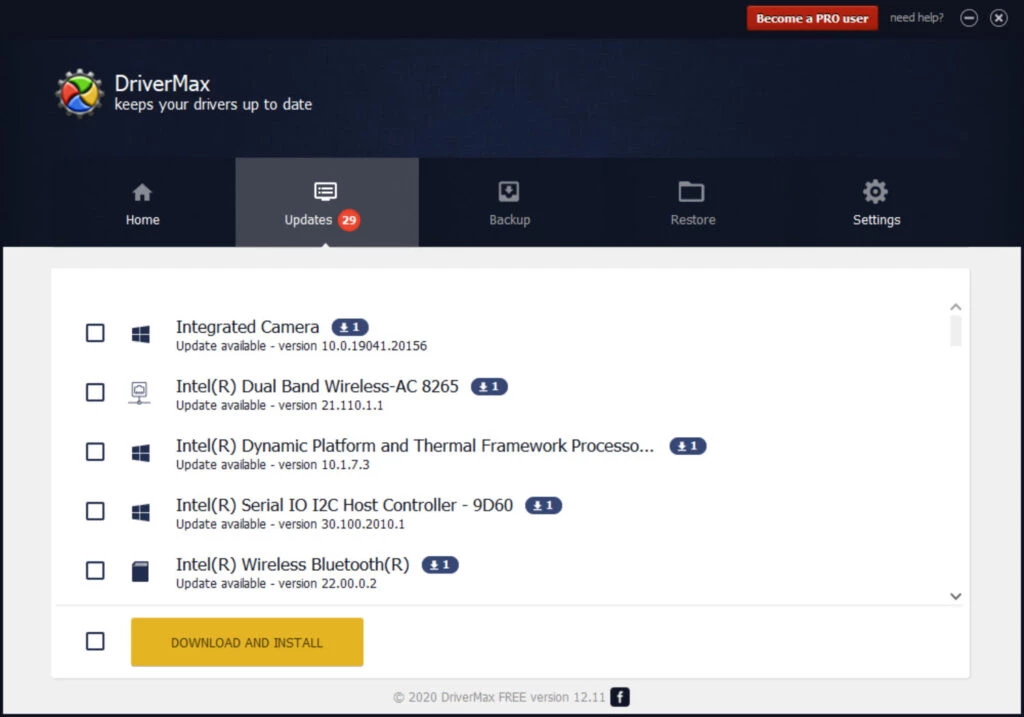
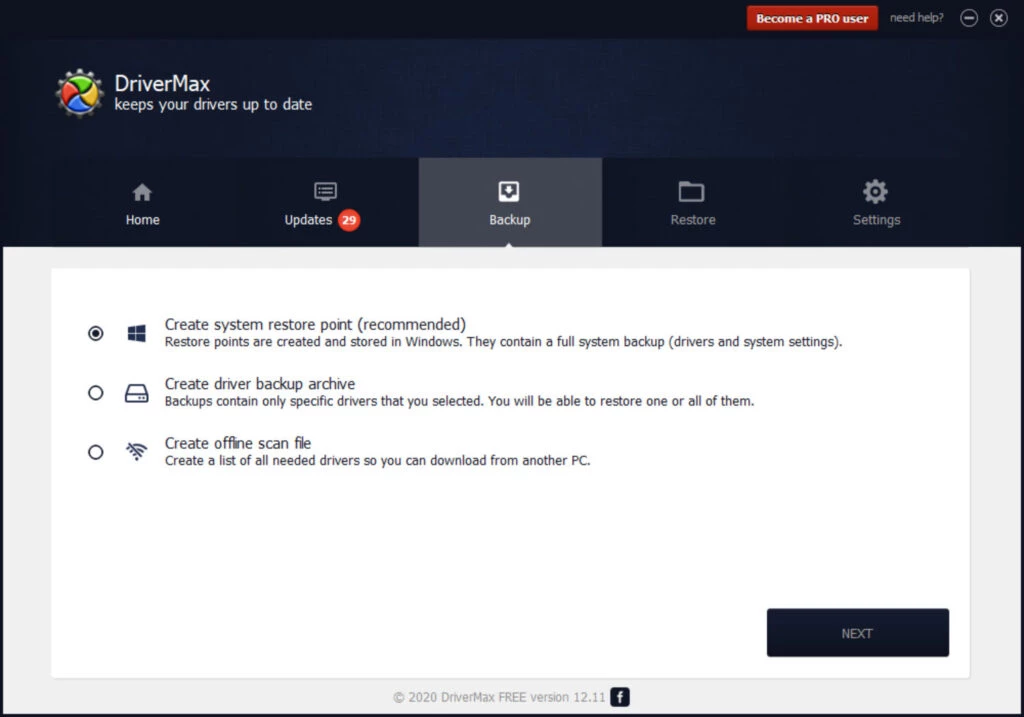
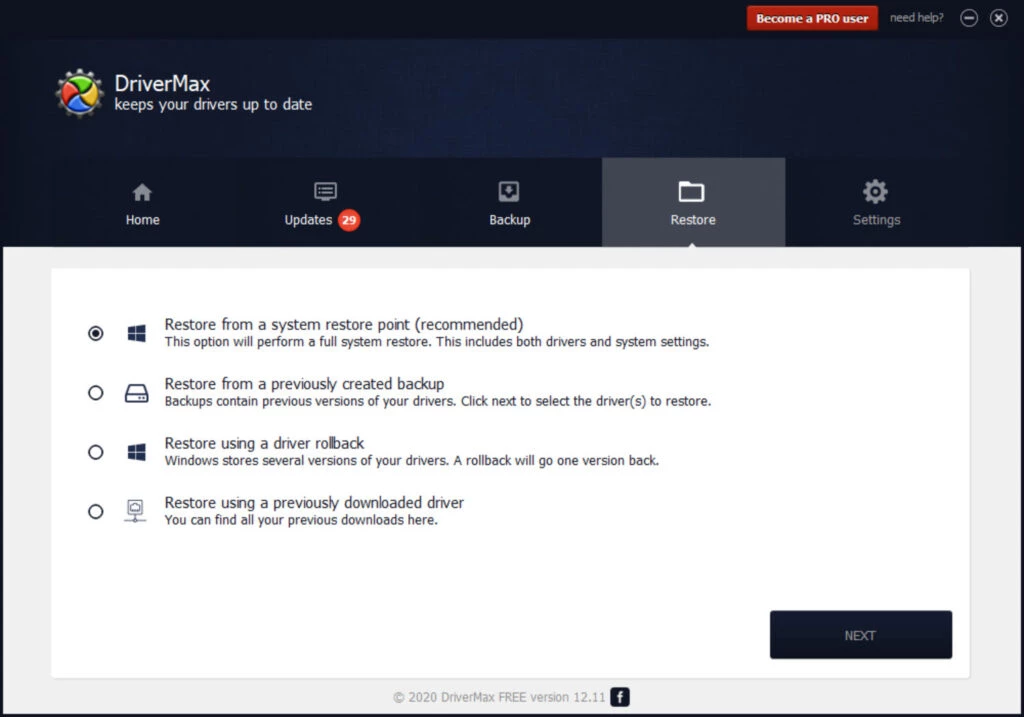
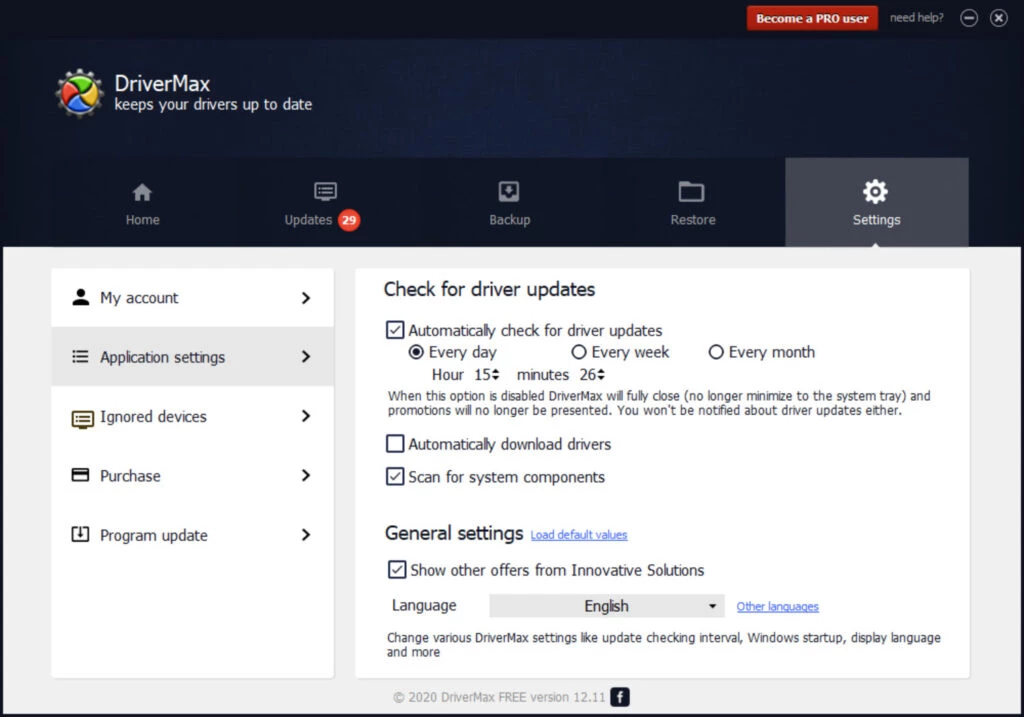
DriverMax 18.0.291 is a driver update tool for Windows from Innovative Solutions. It scans your PC, lists hardware whose drivers are outdated or missing, downloads newer versions and makes backups so you can roll back. You can download DriverMax from the developer's site and use the free edition with some limits.
| Parameter | Value |
|---|---|
| Version | 18.0.291 |
| Developer | Innovative Solutions |
| Platform | Windows |
| Type | driver update and backup |
| Licence | free edition, paid Pro version |
| Installer size | about 64.30 MB according to catalogue data |
| Website | innovative-sol.com/drivermax |
Drivers are the small programs that let Windows talk to graphics cards, network adapters, audio chips, printers and other hardware. Windows Update installs many of them automatically, but not always the newest ones, and after a clean install some devices may be left without a proper driver. DriverMax compares the drivers on your PC with its online database and shows which ones have newer versions, with dates and version numbers side by side. Before installing, it creates a system restore point and backs up the current driver, so if a new version causes crashes, no sound or a black screen, you can go back in a few clicks. The program can also export all your drivers to a folder or archive, which is handy before reinstalling Windows. Scheduled scans remind you when updates appear. Graphics drivers in particular change often, and gamers use such tools to keep them current without visiting the vendor site each time.
DriverMax runs on Windows and needs administrator rights and an internet connection to check and download drivers.
Driver updaters work at a sensitive level: a wrong driver can make a device stop working. DriverMax reduces the risk with restore points and backups, but the principle is simple: do not update a driver that works fine without a reason. Download the program only from innovative-sol.com.
The free edition scans without limits but restricts how many drivers you can download, and downloads are slower. DriverMax Pro is a paid licence with unlimited, faster downloads and automatic updates.
Other driver tools on our site include Driver Easy, Advanced Driver Updater and DriverPack Solution. For NVIDIA graphics settings, NVIDIA Control Panel is the official tool, and Bluetooth Driver Installer targets wireless adapters.
ReiBoot is a Tenorshare utility for Windows that puts an iPhone or iPad into or out of recovery mode and repairs common iOS system problems.
DirectX 9.0c is an older version of Microsoft's multimedia and graphics APIs that many classic Windows games still need to run.
DirectX 10 is a version of Microsoft's multimedia and graphics API that comes with Windows; older games may also need the DirectX End-User Runtime.

3uTools is a free Windows program for managing an iPhone or iPad from a PC, including files and device information.

Huawei HiSuite is Huawei's official PC suite for Windows and macOS for backing up, managing and updating Huawei phones and tablets.
DirectX 11 is a version of Microsoft's collection of multimedia and graphics APIs that Windows games and apps use to work with the graphics card and sound.
DirectX 12 is Microsoft's graphics and multimedia API for Windows. It is part of the system and updated through Windows Update and graphics drivers.

DriverPack Solution is a free Windows tool by Artur Kuzyakov that detects missing or outdated drivers and installs them from its own driver collection.